01
Operator tasks
Prioritize status, alerts, setup and control workflows around what the operator does in the field.
Agricultural and off-highway equipment brings together machine status, operator workflows, display environment and connectivity. Validate those constraints before locking the platform.
The goal is not to force every product into one architecture. These are the decisions that narrow the practical options.
Prioritize status, alerts, setup and control workflows around what the operator does in the field.
Consider size, brightness, touch method and enclosure integration for the actual environment.
Define controller, sensor, vehicle-bus and wireless connections before hardware freeze.
A focused control UI, a graphics-rich real-time interface and an application-style Linux HMI have different engineering and lifecycle trade-offs.
For focused machine interfaces with fast boot, controlled UI scope and deterministic behavior.
For richer monitoring, more pages and graphics while retaining an embedded real-time stack.
For larger displays, complex workflows, networking or application-style functionality.
Match TFT and touch choices to viewing, glove/use conditions and mechanical design.
Select the platform from UI complexity, interfaces and startup requirements.
LVGL, Qt or another stack should fit the screen flow and engineering team.
Plan CAN/serial/Ethernet and wireless interfaces as the equipment architecture requires.
Account for assets, logs, configuration and update images.
Validate BSP, drivers, UI, interfaces and production transfer on the target system.
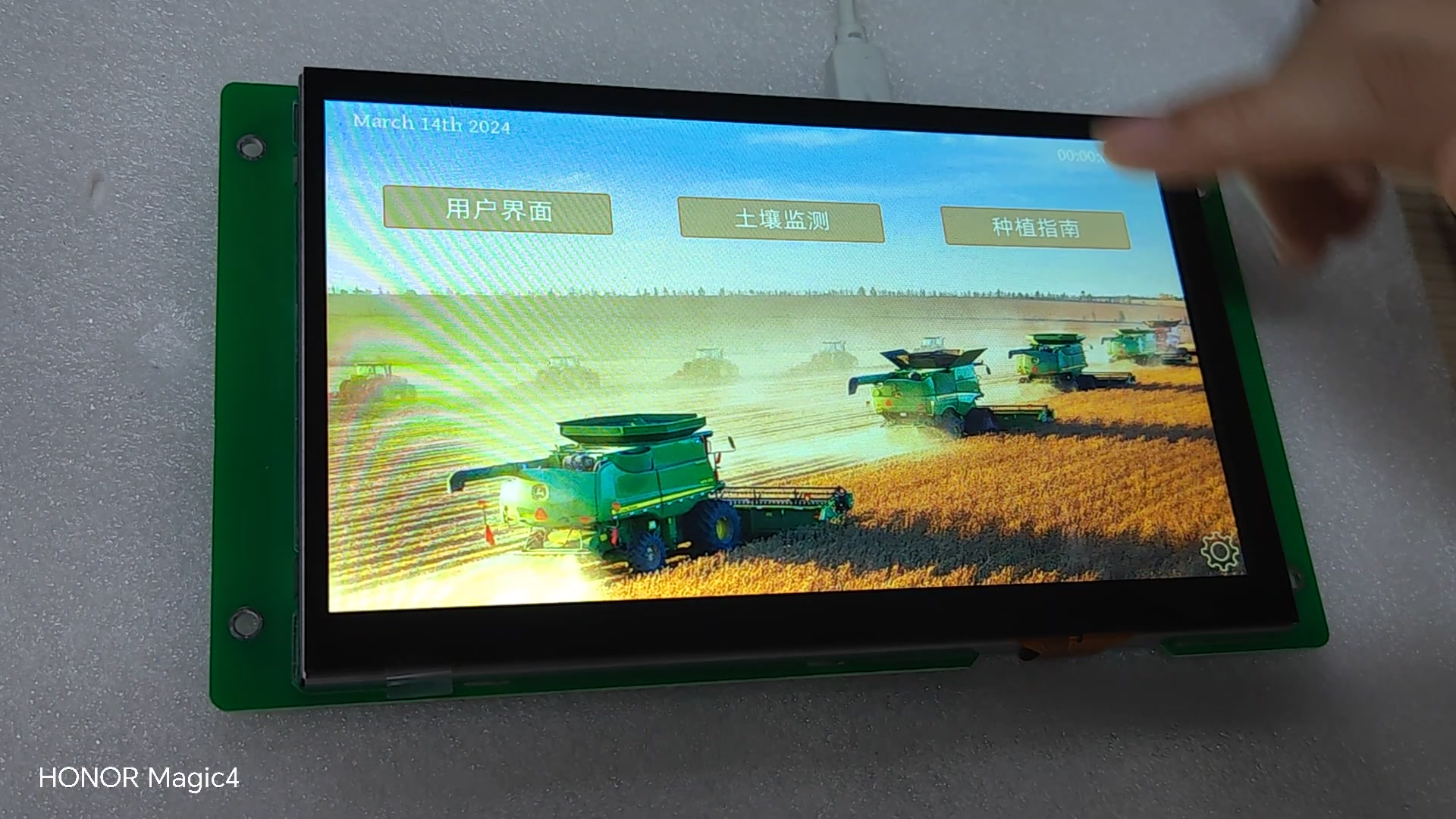
A 1024×600 touch interface for machine data and field-equipment workflows gives a concrete reference for discussing display, UI and platform trade-offs.
Evaluate the actual display under expected viewing conditions.
Test the intended touch method with the real mechanical stack.
Run realistic status and alarm updates, not static screens.
Measure boot and application-ready time on target hardware.
Exercise controller and wireless links through disconnect/reconnect cases.
Confirm display, compute and module supply against expected lifecycle.
No complete specification is needed to discuss architecture, evaluation hardware or engineering support.